Custom personal finance reports that stay on your computer
Built-in reports answer common questions. The Custom Report Builder answers yours: pick what to measure, how to group it and how to show it, then pin it to your dashboard.
Most finance apps give you a fixed set of reports. That works until you want something they didn't plan for, like electricity versus gas by quarter, or what a renovation cost across six payees and three cards. Then you're exporting to a spreadsheet again. If the app is a cloud service, your transaction history has to leave its servers to get there.
Covely includes more than 20 ready-made reports, plus a builder for everything else. Both run entirely on your computer.
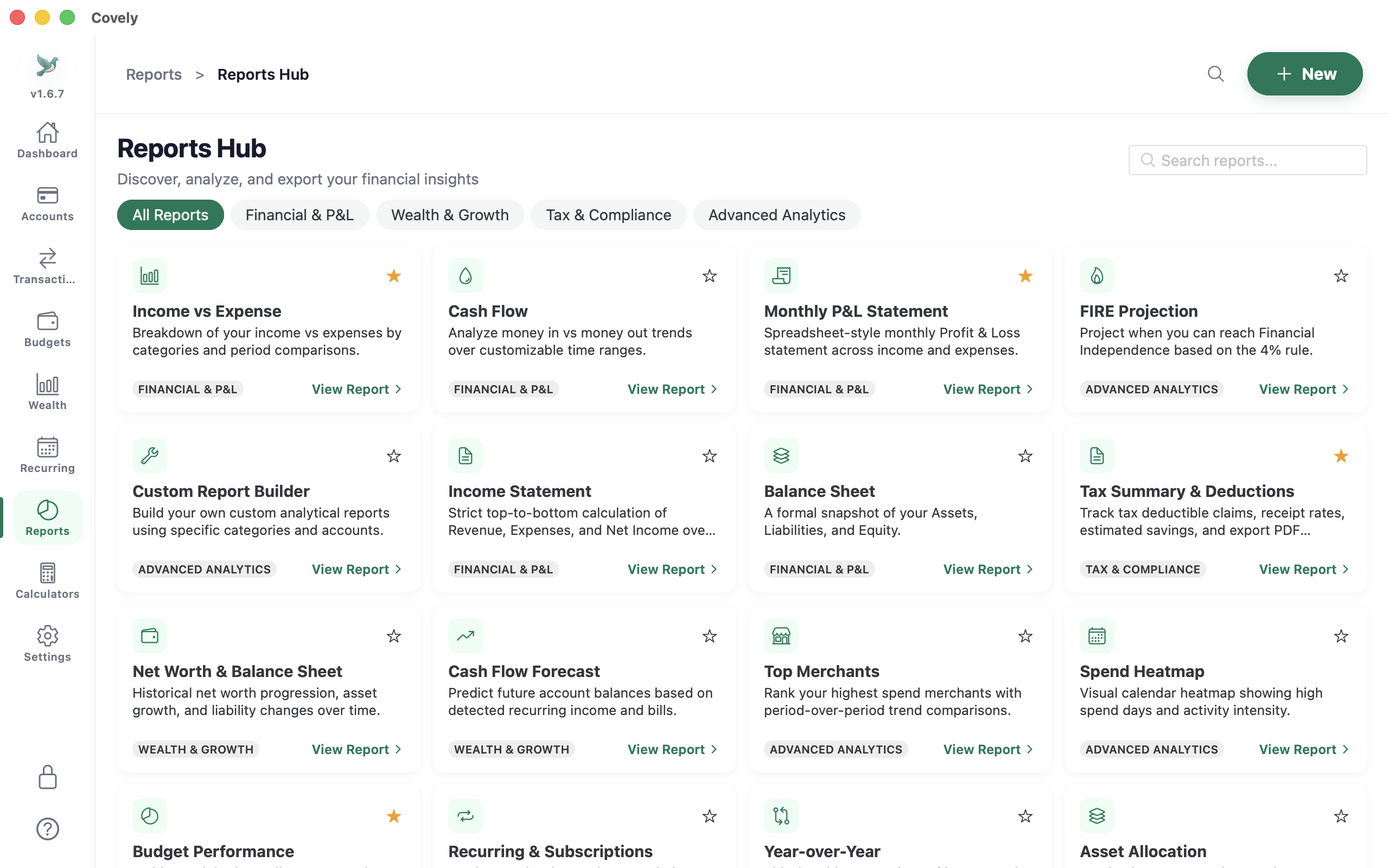
Build a report in four choices
- What to show: total amount, number of transactions, or average amount. You can also include just expenses, just income, or both (net).
- How to group it: by month, quarter, year, category, category group, account, payee or tag. Then add a second grouping, such as category by month or payee by account.
- What to include: filter by categories, accounts, tags or payees, by text in the description or notes, or by an amount range.
- How to see it: a line, bar, stacked bar or pie chart with a table underneath, or just the table.
Pick a date range: last 3, 6 or 12 months, 3 years, all time, a financial year, or any custom dates. Then save the report under a name you'll recognise.
Report ideas to start with
| Question | How to set it up |
|---|---|
| Are my bills creeping up? | Expenses, grouped by quarter then category, filtered to Utilities, Insurance and Internet. Stacked bar chart. |
| What did the renovation really cost? | Expenses filtered by the tag “Renovation”, grouped by payee. Table only. |
| What's my average grocery shop? | Average amount, grouped by month, filtered to Groceries. Line chart. |
| Is the rental property paying its way? | All (net), grouped by month, filtered to the property's income and expense categories. Bar chart. |
| Where does my money go? | Expenses grouped by category group for the financial year. Pie chart. |
Click any number to see what's behind it
Every bar, point, slice and table figure is clickable. Click it to open the transactions that make up that number. If something looks wrong, you can find the miscategorised transaction in seconds. The same drill-down works in the built-in reports.
Pin reports to your dashboard
Any saved custom report can be added to the dashboard as a widget, so the numbers you care about are there when you open Covely. You can also start from a built-in report: choose Customise, change the date range or filters, and save it as your own copy.
Export when you need to share
Export any report to CSV for a spreadsheet or your accountant, or to PDF for a tidy printout. Exports are created on your computer. Nothing is uploaded.
Free and PRO
Covely Free includes the core reports, including the monthly report, account register and loan amortisation schedule. The Custom Report Builder, dashboard report widgets and several of the advanced reports are part of Covely PRO, a one-time $9.90 licence with no subscription.
Related reading: moving from spreadsheets to a finance app without losing control.
Frequently asked questions
Can I build custom reports in Covely without an internet connection?
Yes. Reports are calculated from the database on your computer, so they work fully offline and your transactions are never uploaded.
What can I group a custom report by?
Month, quarter, year, category, category group, account, payee or tag, with an optional second grouping such as category by month.
Can I put a custom report on the dashboard?
Yes. Any saved custom report can be added to the dashboard as a widget. This needs Covely PRO.
Can I export custom reports?
Yes, to CSV or PDF.
Can I use Australian financial years in reports?
Yes. You can pick a financial year or any custom date range.
Try it on your own numbers
Covely is free to download for Mac, Windows and Linux. Your data stays on your computer.
Get Covely Free