Master your wealth.
Entirely offline.
Covely is a free personal finance app for Mac, Windows and Linux that works entirely offline. Budget, track your net worth and investments, and reconcile accounts. Your data never leaves your computer.
- 100% Offline & Private
- Self-custodial financial data
- No cloud lock-in or forced subscriptions
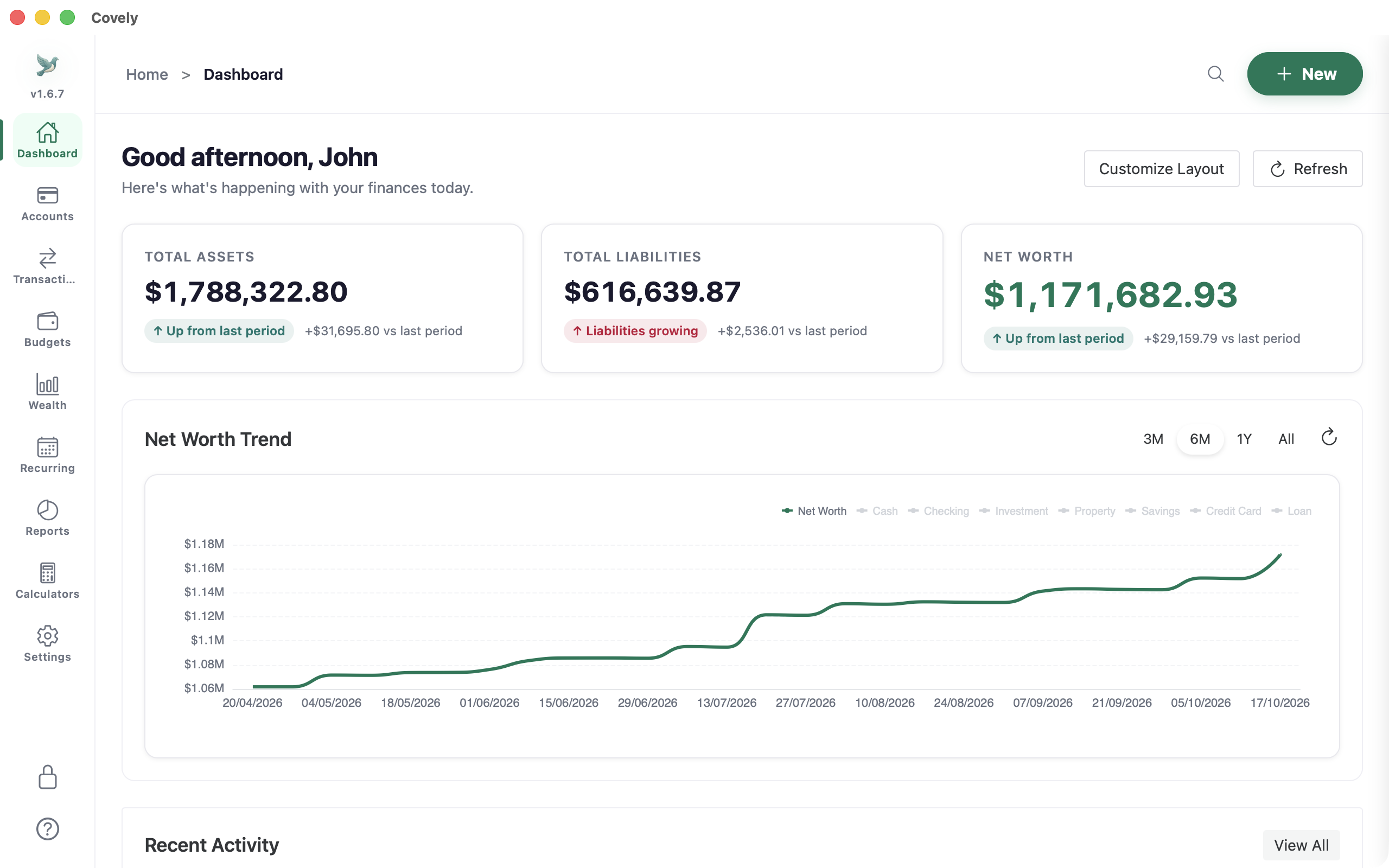
Powerful by default. Free forever.
Unlike other tools, Covely Free isn't a restricted trial. It's a professional-grade finance OS with everything you need to track your net worth and secure your future.
100% Offline & Private
Your financial data never leaves your computer. Powered by a high-performance local database and protected by biometric security (Face ID / Touch ID).
Smart Automation
Automate your bookkeeping: categorize transactions automatically with AI pattern detection and custom searchable rules.
Attachments & Running Balance
Attach receipts and invoices directly to transactions. View calculated running balances and filter by amount range.
Split & Recurring Transactions
Split a single expense across multiple categories effortlessly. Set up recurring subscriptions and bills to project future cash flows.
Global Omni-Search
Instantly find any transaction or detail. Our high-performance local search scans all accounts and years of history in milliseconds.
Multi-Language Support
Covely is built for a global audience. Fully localized support for English, Chinese (Simplified & Traditional), Japanese, and Spanish.
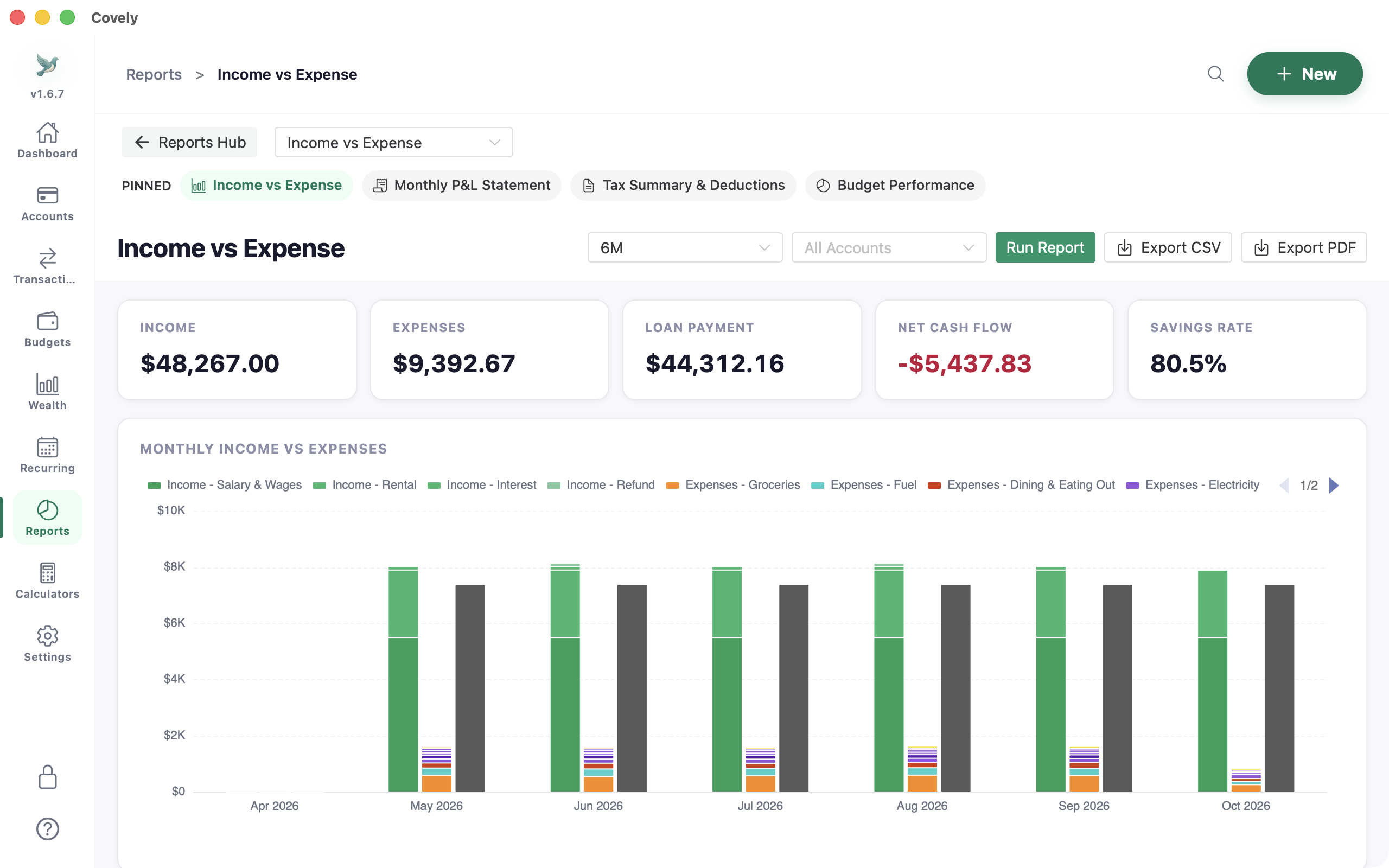
Reports Catalog & Tax Deductions
Generate monthly P&L statements, net worth balance sheets, and tax-deductible expense reports with PDF export.
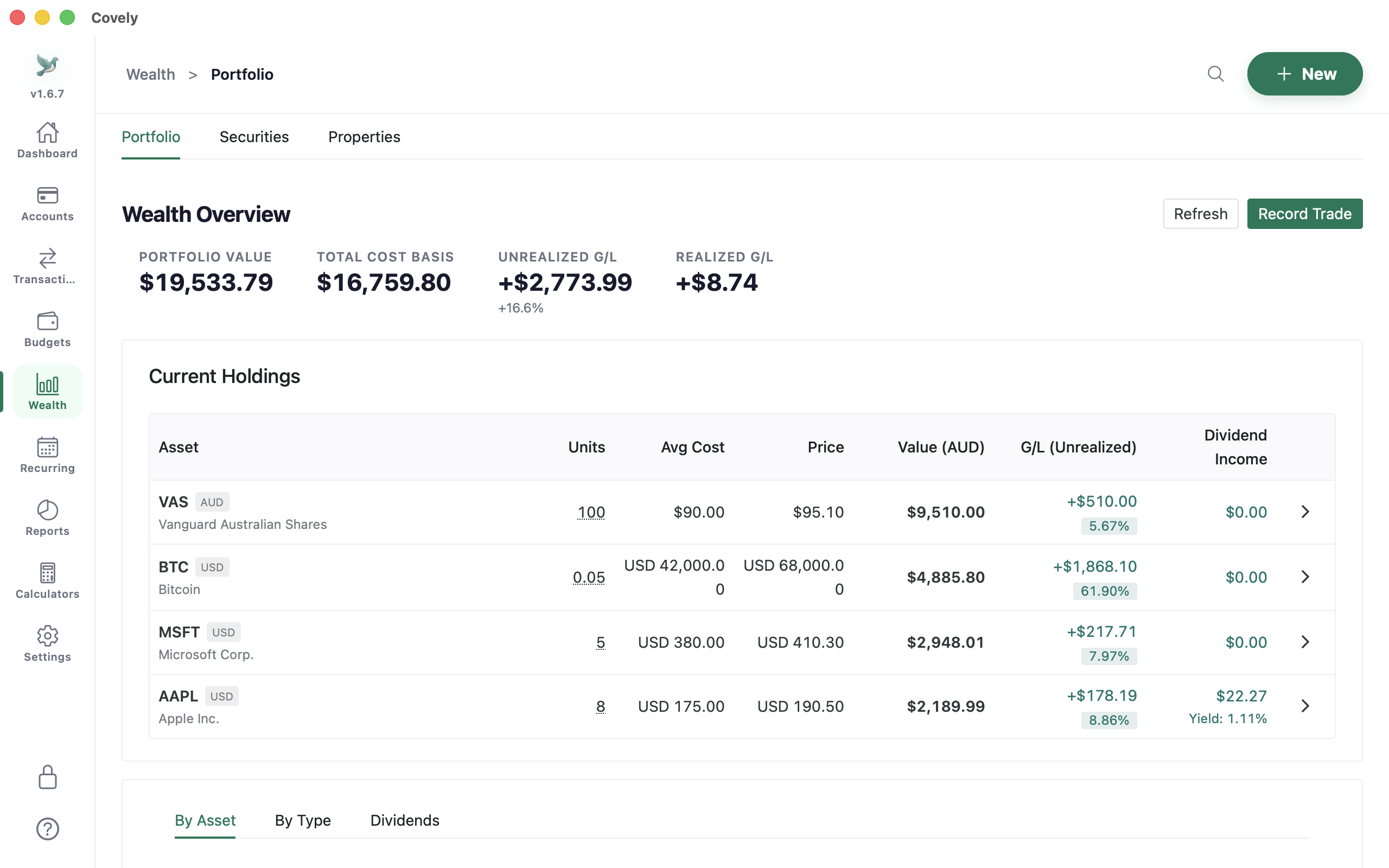
Wealth & Holdings
Track stocks, ETFs, and properties alongside cash. View real-time allocation, asset growth, and multi-currency FX rates.
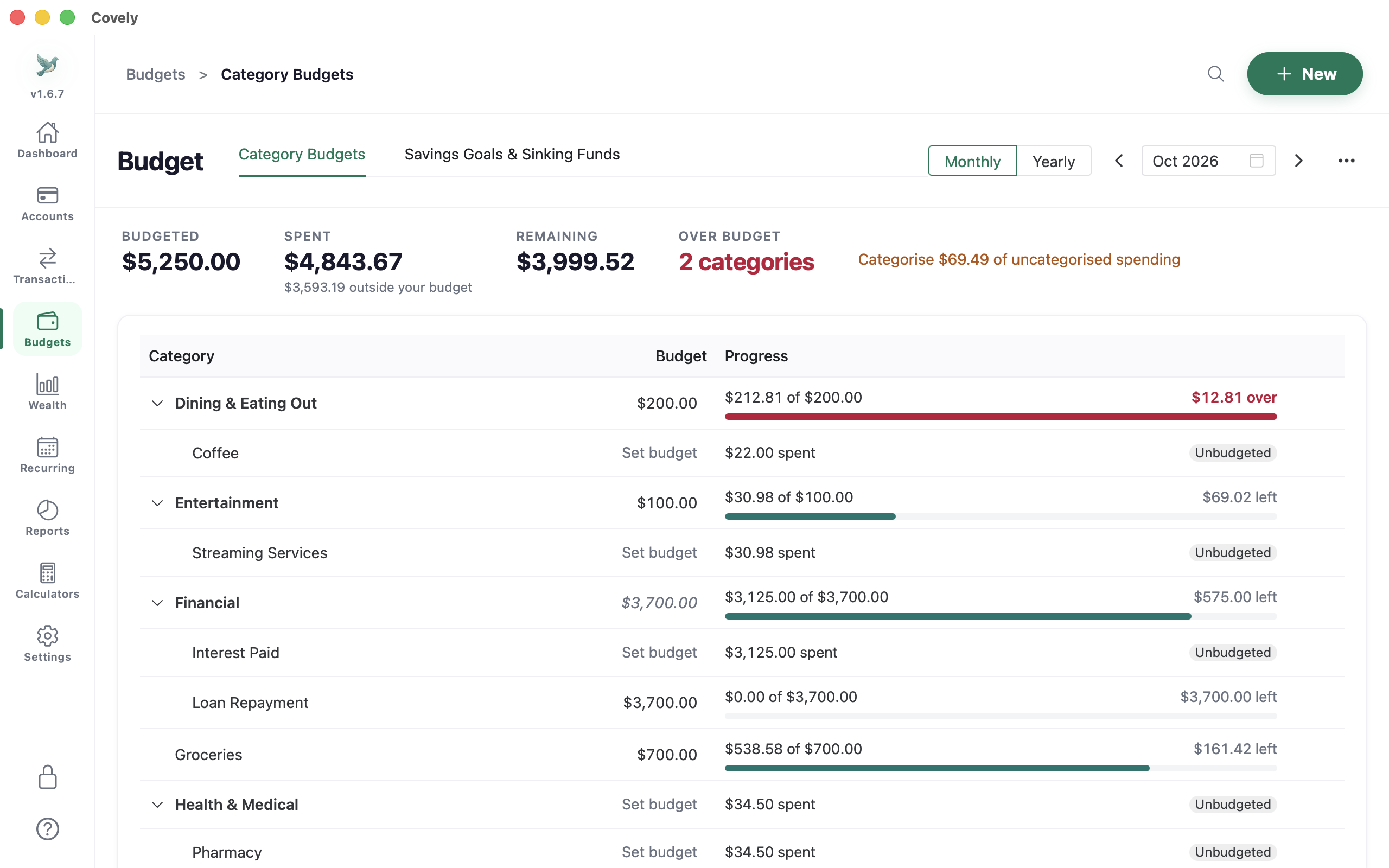
Advanced Budgeting
Plan every dollar with our comprehensive zero-based budget tracker. Set category limits, track real-time spending, and monitor your monthly progress.
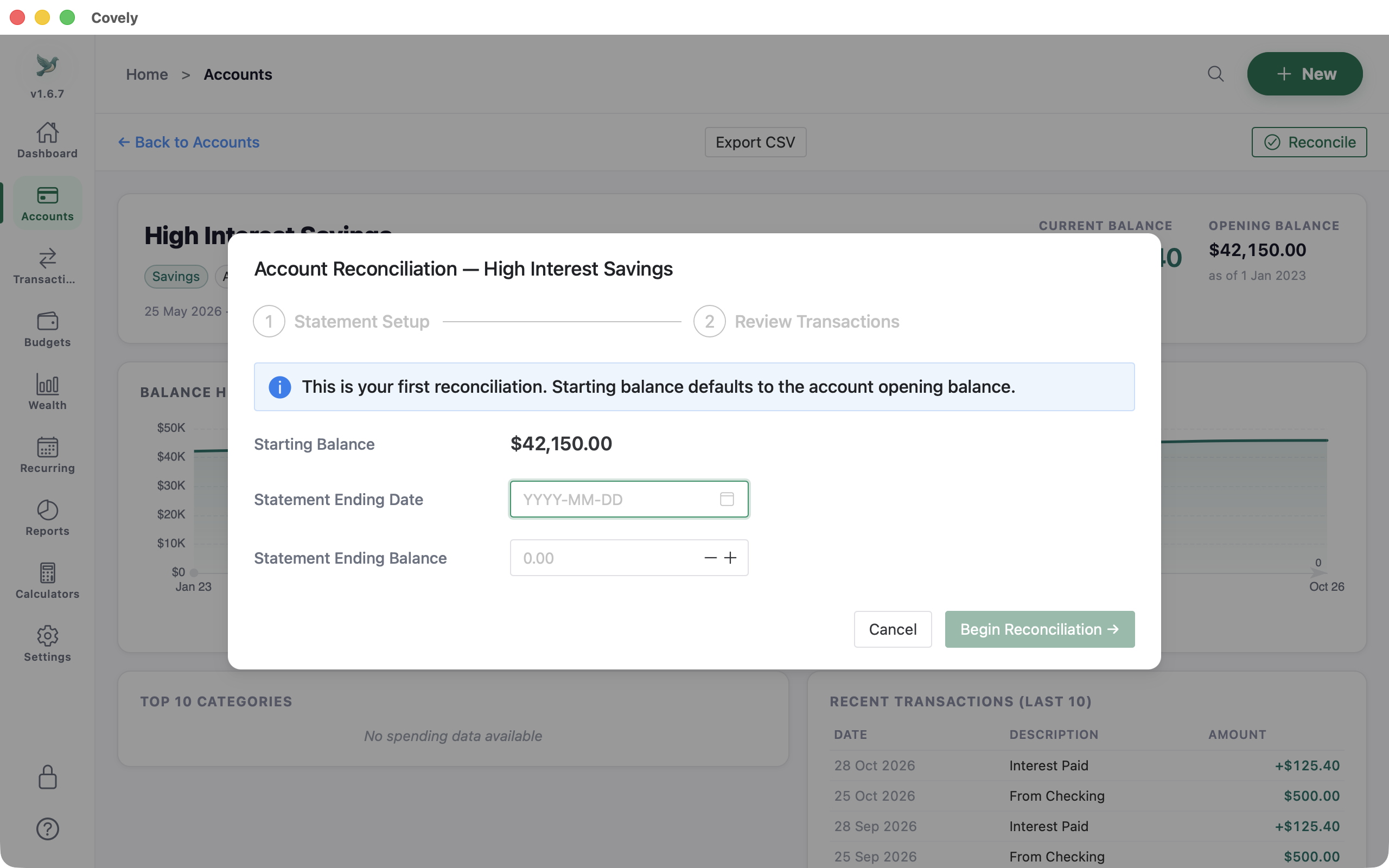
Account Reconciliation
Match statement balances with ease, track uncleared transactions, and verify account accuracy with built-in reconciliation.
Compare Plans
| Feature | Covely Free | Covely PRO |
|---|---|---|
| Dashboard History | 1 Month | Unlimited |
| Automation Rules | 20 Rules | Unlimited |
| Advanced Insights | — | Full Suite |
| Forecasting | — | 90-Day Projection |
| Everything else — accounts, imports, budgets, reports, reconciliation, wealth tracking and encrypted backups | Included | Included |
| Pricing | Free Forever | $9.90 One-Time |
Unlock unlimited power with Covely PRO $9.90
One perpetual license for $9.90. Endless insights. Remove all limits and unlock the full potential of your financial data.
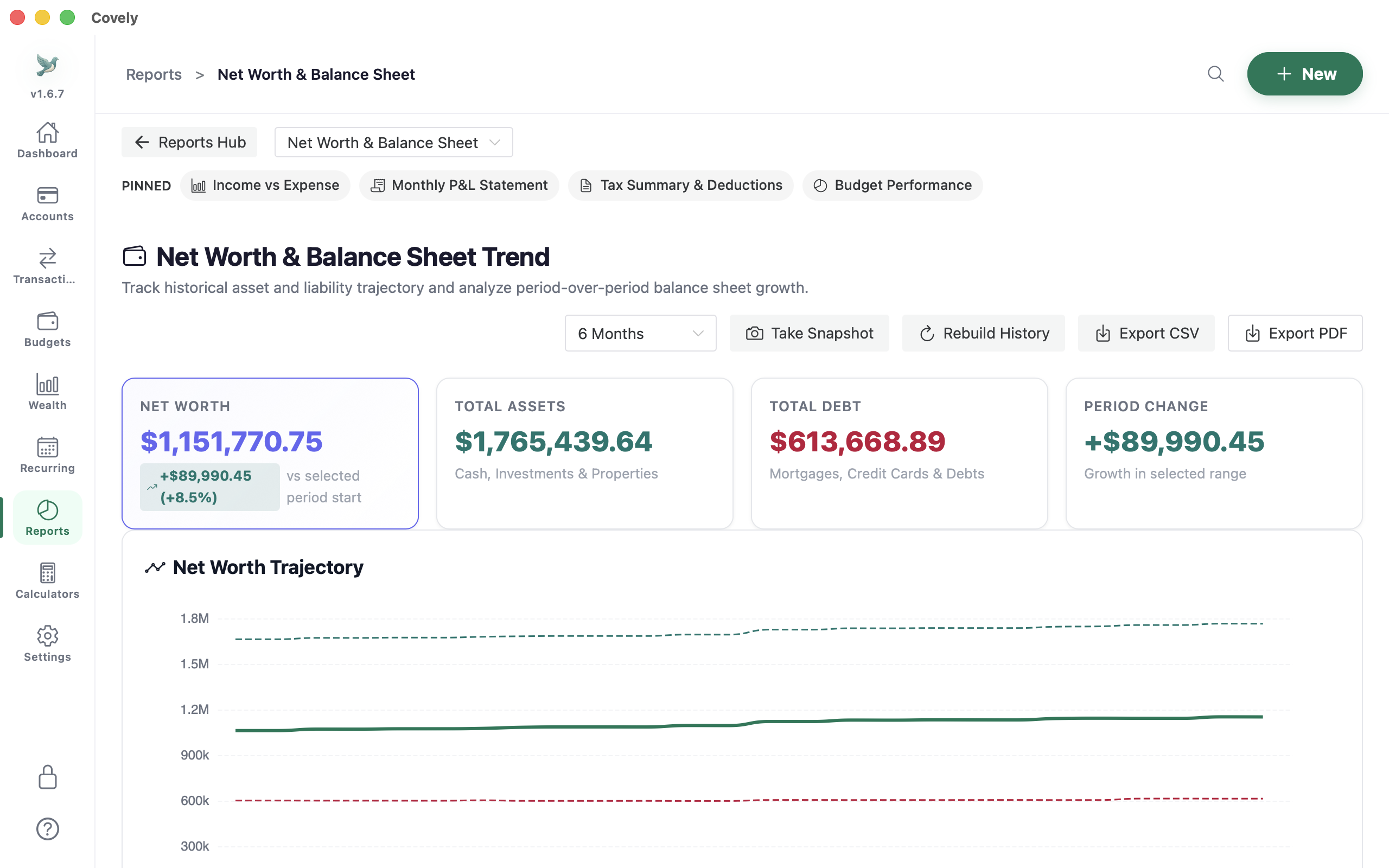
Unlimited History
Go beyond the 1-month dashboard limit. View, search, and analyze years of financial data to spot long-term growth patterns.
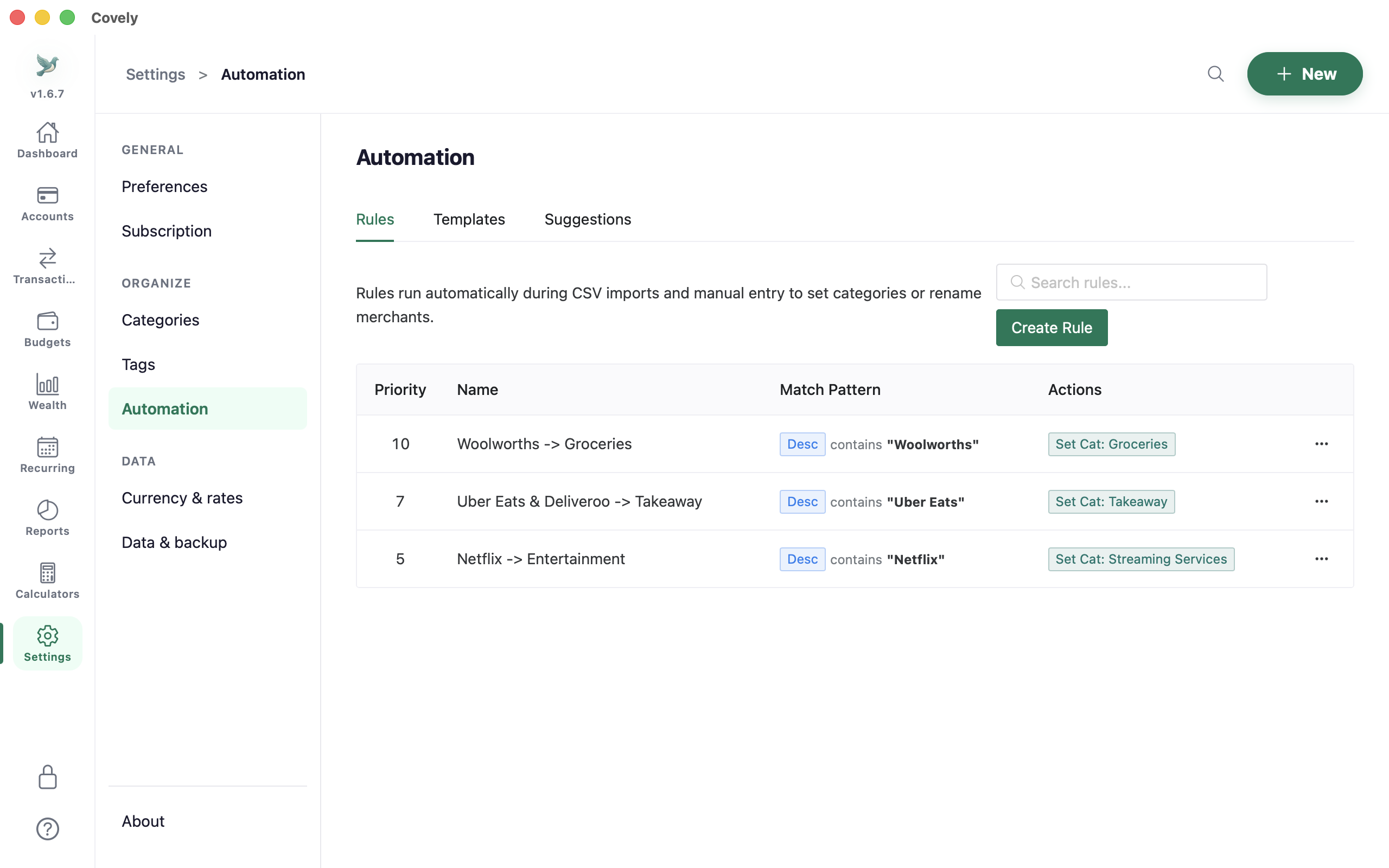
Unlimited Rules
Remove the 20-rule cap. Build a massive library of automation rules to handle even the most complex merchant networks automatically.
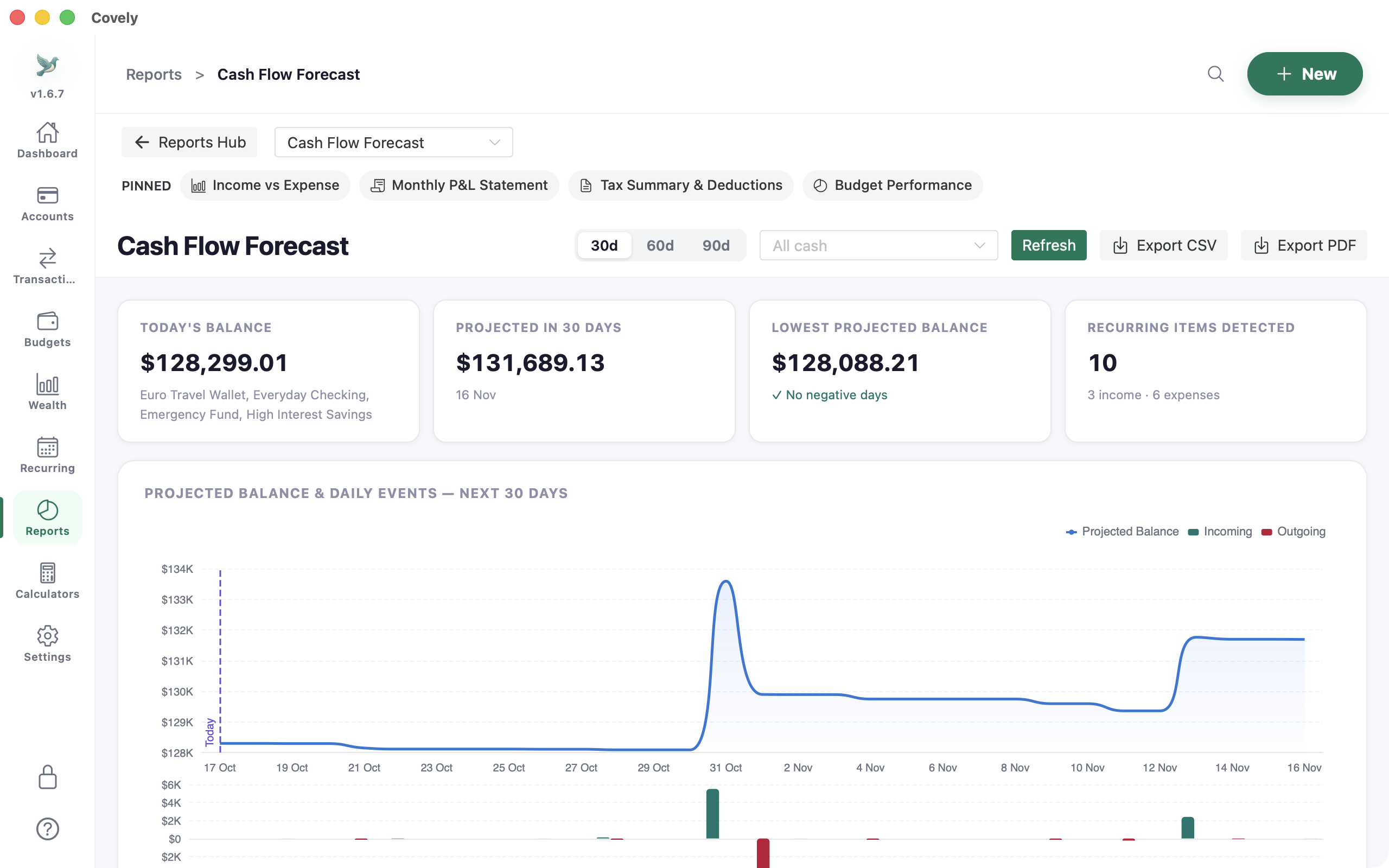
Advanced Forecasting
Project your exact account balance 30, 60, or 90 days into the future based on recurring bills, subscriptions, and paychecks.
Frequently asked questions
Is Covely really free?
Yes. Covely Free has no time limit and includes accounts, imports, budgets, reports, reconciliation and wealth tracking. Covely PRO is an optional one-time $9.90 license that removes the history and rule limits and adds forecasting and advanced insights.
Where is my financial data stored?
In a database on your own computer. There is no Covely account and no cloud sync, so your transactions are never uploaded to us. Live exchange rates and stock prices are optional and can be switched off in Settings.
Can I import transactions from my bank?
Yes. Export a CSV, OFX or QIF file from your bank, or from software such as Microsoft Money or Quicken, and import it into Covely. Covely never asks for your bank login.
Which computers does Covely run on?
macOS (Apple Silicon and Intel, also on the Mac App Store), Windows (x64 and ARM) and Linux (Flatpak and .deb).
Which languages does Covely support?
English, Spanish, Japanese, and Chinese (Simplified and Traditional).
Guides & comparisons
The best Microsoft Money alternative in 2026
Why offline desktop finance software is making a comeback, and what to look for in a replacement.
Covely vs YNAB
A feature-by-feature look at budgeting with and without the cloud.
Track net worth without the cloud
Follow stocks, property equity and cash in one private place.