The Best Microsoft Money Alternative in 2026: Why Offline Desktop Software is Back
How to move your Money history into a desktop app that still gets updates, and what will feel familiar.
Microsoft stopped selling Money in 2009 and released Money Plus Sunset in 2010: a free version that still opens your files but gets no updates and has no online services. Plenty of people still run it on Windows 10 and 11 because they don’t want their finances in a web app. If that’s you, this guide covers how to bring your history across to Covely and what is the same and different.
Step 1: Export your accounts from Money
Money can export an account’s register to a QIF file. Export one file per account and give each a clear name (for example everyday-checking.qif). QIF is old, but it carries dates, payees, amounts, categories and memos, which is what you need.
Step 2: Import them into Covely
- Create the matching accounts first on the Accounts page (Add Account), with the same currency and opening balance as in Money.
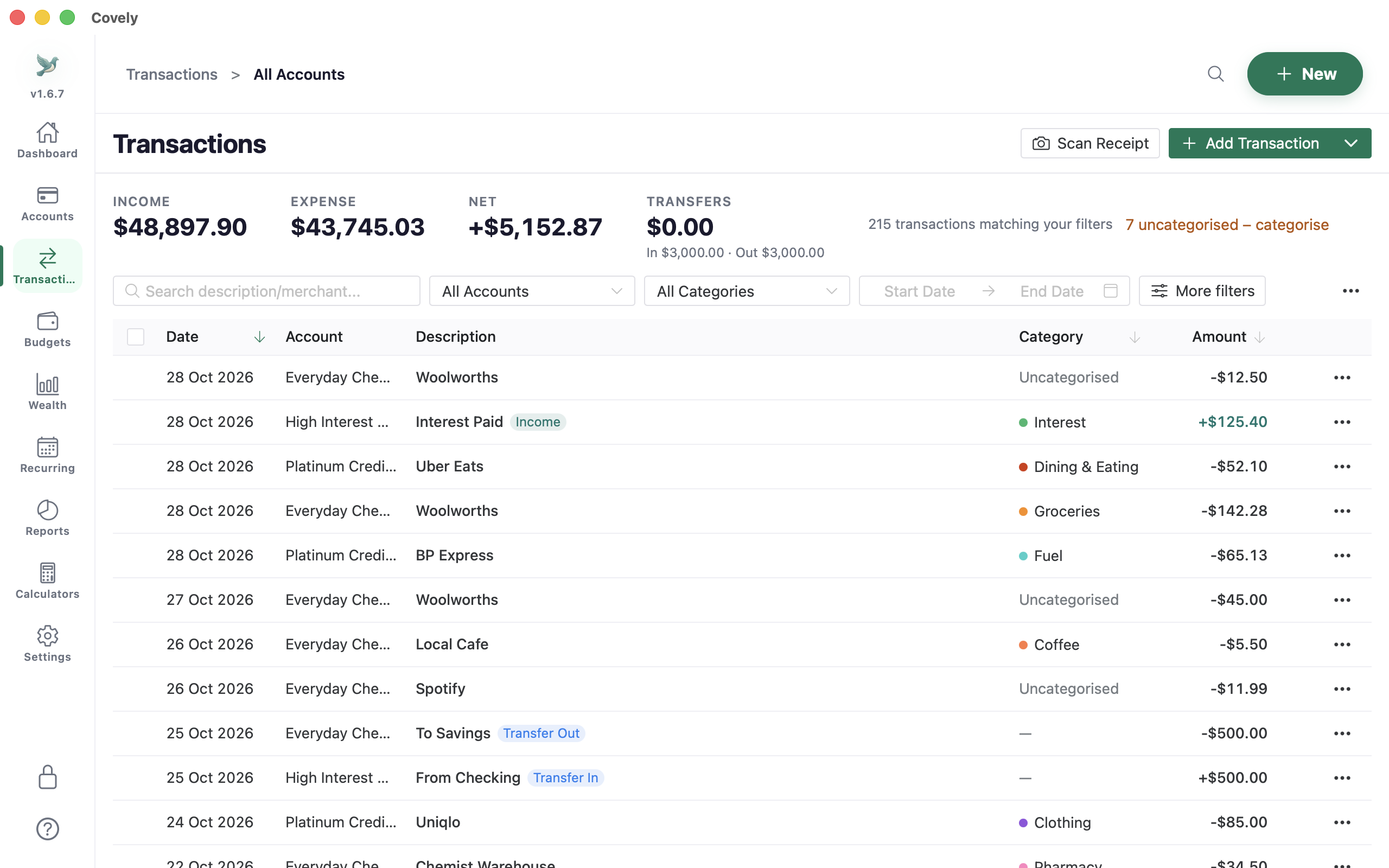
- Go to Transactions, open the menu next to Add transaction and choose Import QIF. Pick the file and the account it belongs to.
- Repeat for each account. After each import Covely looks for transfers between your accounts (the same amount with the opposite sign within two days) and offers to link them, so a transfer from checking to savings isn’t counted as spending.
- Check the duplicate warnings. If a row looks very similar to one already in the account, Covely lists it before it’s saved.
What will feel familiar
- A Money-style layout. In Settings → Preferences → Menu style, choose the Classic layout for a task sidebar modelled on Money’s. You can switch back at any time.
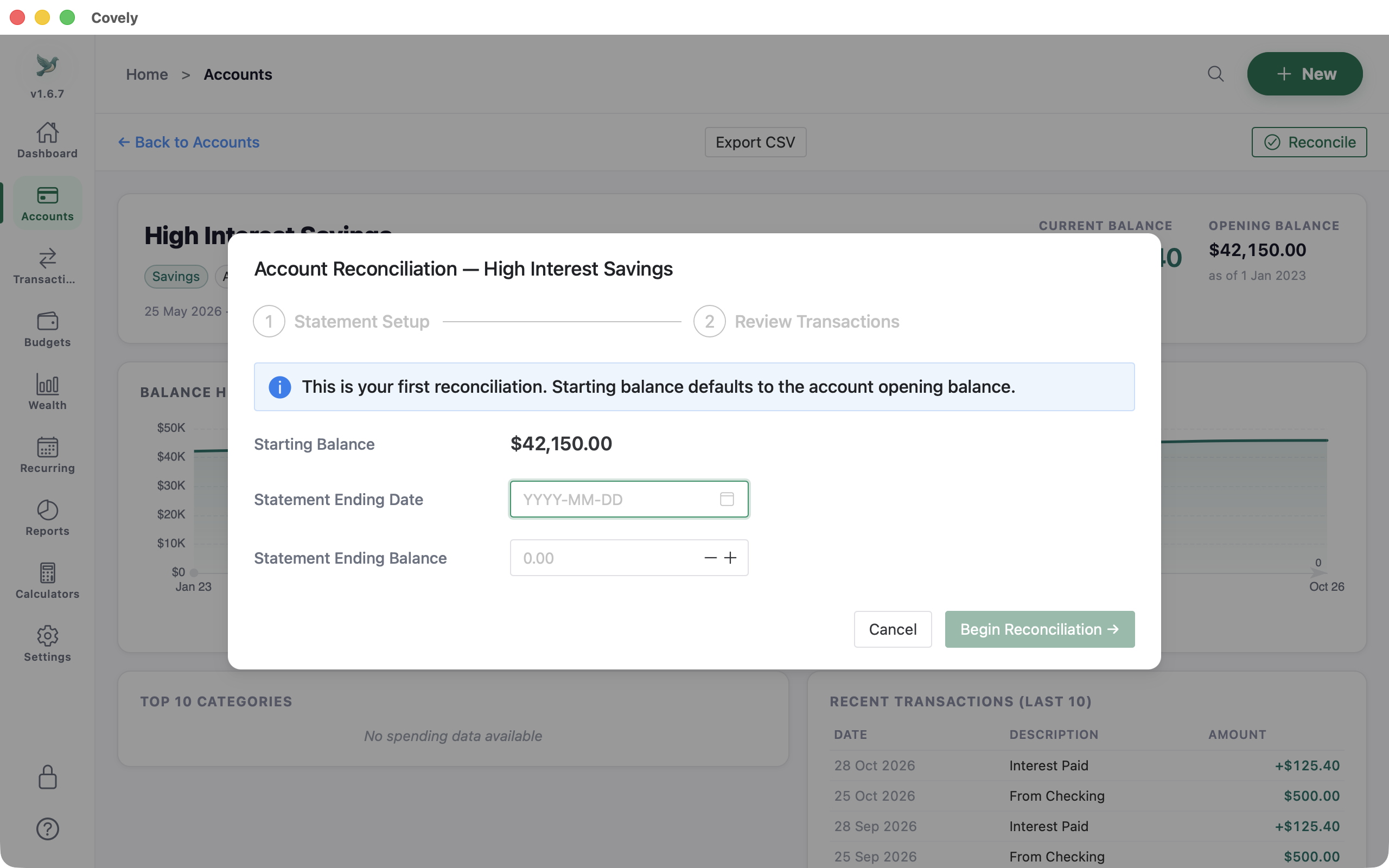
- Reconciling against a statement. Enter the statement’s ending date and balance, tick off transactions until the difference is $0.00, then complete. Reconciled transactions are locked so they can’t be changed by accident.
- Split transactions. One supermarket receipt can go to Groceries and Pharmacy, each with its own memo.
- Reports you can print. Monthly P&L, net worth, income vs expense and tax deductions, with PDF and CSV export.
What is different
- No online banking connection. You download a CSV, OFX or QIF file from your bank and import it. Covely never asks for your bank login.
- It runs on more than Windows. Mac (Apple Silicon and Intel, also on the Mac App Store), Windows (x64 and ARM) and Linux (Flatpak and .deb).
- It is still being worked on. Version 1.6.7 came out on 17 October 2026, and there were four releases between 20 September and 17 October. The release notes list every change.
Covely and Microsoft Money side by side
| Covely | Microsoft Money Plus Sunset | |
|---|---|---|
| Updates | Regular releases (1.6.7, October 2026) | None since 2010 |
| Runs on | Mac, Windows, Linux | Windows only |
| Bank data | CSV, OFX and QIF file import | File import; online services ended |
| Where data lives | A database file on your computer | A .mny file on your computer |
| Multiple currencies | Each account has its own currency; totals in your base currency | Supported |
| Price | Free; optional PRO is a one-time $9.90 | Free download, unsupported |
Ready to switch?
Start with one account: export it, import it, reconcile it against your latest statement. If the balance matches, do the rest.