How to Track Net Worth and Property Equity Without the Cloud
Bank accounts, shares, property and the mortgage against it, in one place that stays on your computer.
A net worth figure brings together your most sensitive numbers: bank balances, investments, your home and what you owe on it. Here’s how to set that up in Covely without any of it leaving your computer.
1. Add your accounts
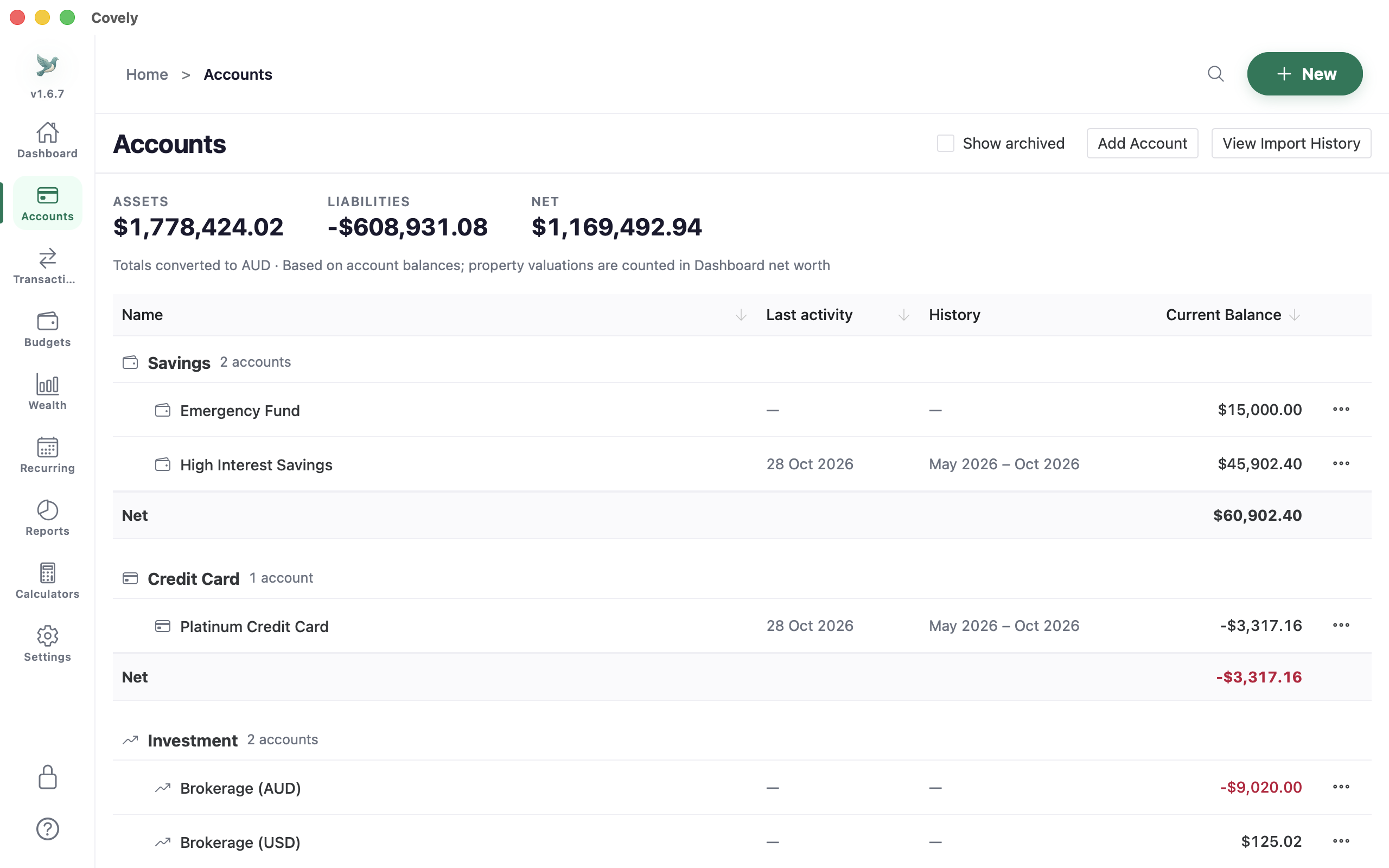
On the Accounts page, click Add Account. The account types are Checking, Savings, Credit Card, Loan, Investment, Property, Cash, Crypto, Vehicle, Term Savings and Other. To keep a long list tidy, create an Account Group and set it as the parent of related accounts. A group shows the combined balance of everything in it.
2. Track investments
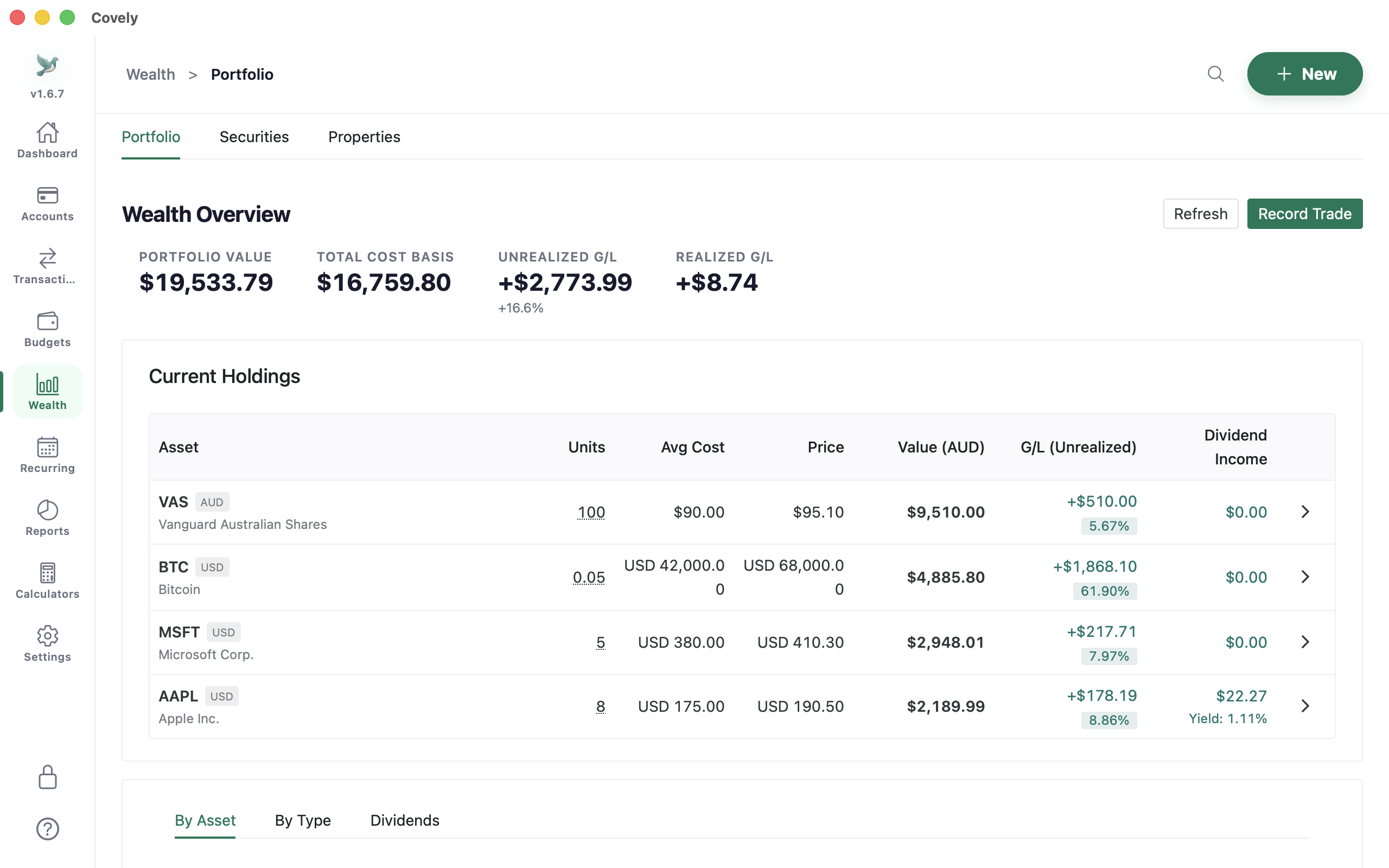
Wealth → Portfolio lists your holdings with units, average cost, price, value and unrealised gain or loss, plus dividend income. Use Record Trade for buys, sells and dividends. Holdings can be in different currencies; values are converted to your base currency.
3. Add your property and its mortgage
- Go to Wealth → Properties and click Add Property. Enter the purchase date, purchase price and your ownership percentage (useful if you own part of it).
- Link the mortgage under Linked Mortgage. Covely then shows the property’s equity and loan-to-value ratio (LVR).
- Use Add Valuation whenever you get a new estimate, with its date and source. The valuation history shows how the value has moved.
When you pay the mortgage, split the payment: the principal part as a transfer to the loan account and the interest part as an expense. Your net worth then goes up by the principal you’ve paid off.
4. Multiple currencies
Each account has its own currency. Set your base currency in Settings → Currency & rates; every total, chart and report is converted to it. Exchange rates are downloaded only if you allow it in Preferences.
5. Watch it over time
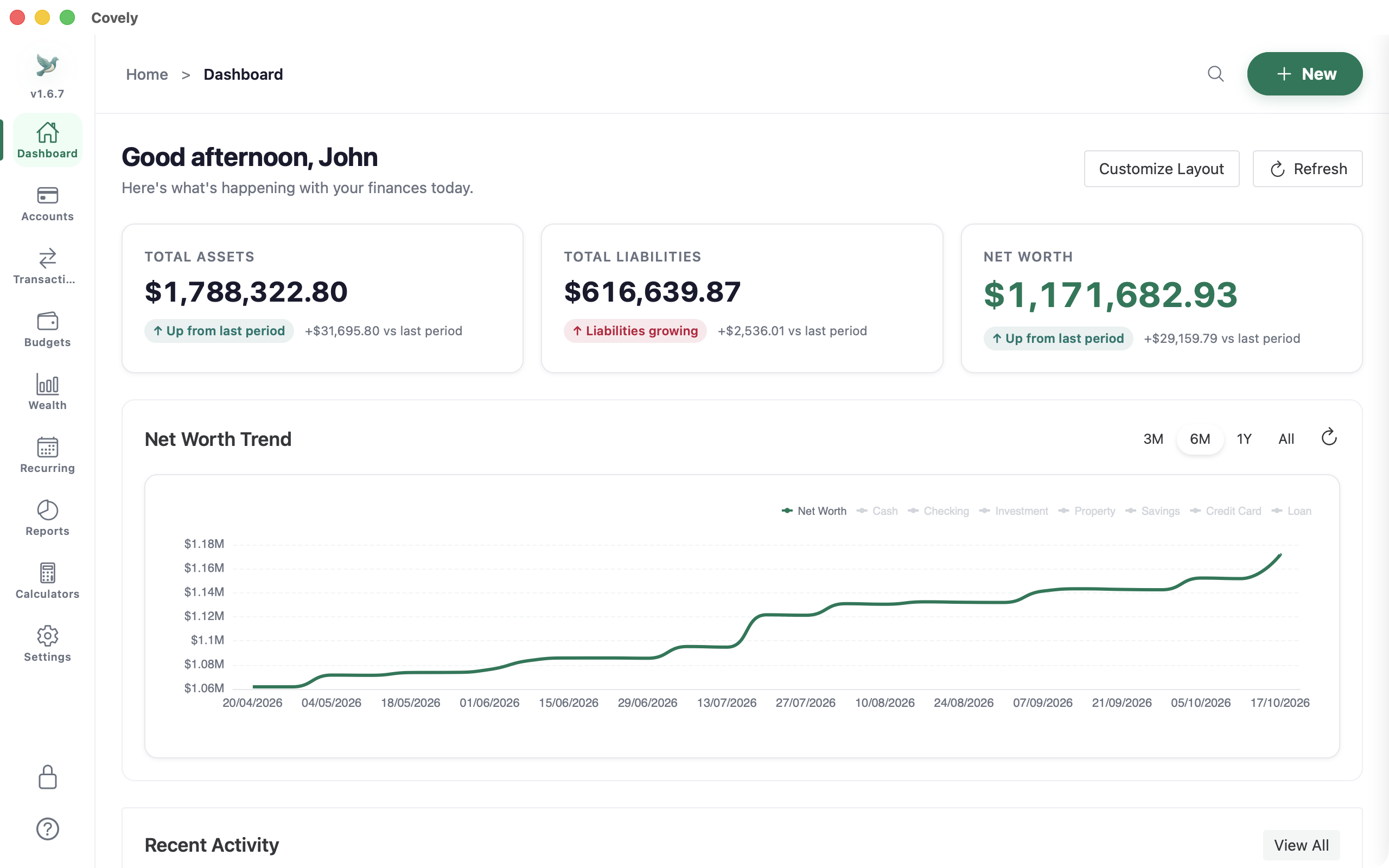
For more detail, the Reports hub has a net worth balance sheet, an asset allocation report and an income statement. These show where your net worth is, how it’s spread, and why it’s changing. There’s also a capital gains estimate (first in, first out) for your records; check it with your tax adviser before you lodge.