Moving from Spreadsheets to a Real Finance App (Without Losing Control)
A practical migration guide for people who already track everything in Excel or Google Sheets.
People who track their money in spreadsheets usually do it for two reasons: the data is theirs, and nobody else sees it. The cost is time spent pasting statements, fixing formulas and rebuilding pivot tables. Here’s how to move to Covely without giving up either of those two things.
What stays the same
- Your data is a file on your computer. Covely keeps everything in a local database file. There’s no account and nothing is uploaded.
- You can always get it back out. Every register has Export CSV, reports export to CSV and PDF, and Settings → Data & backup → Export to ZIP exports everything.
Migration, step by step
- Create your accounts first, each with its opening balance. That balance is also the starting point for your first reconciliation.
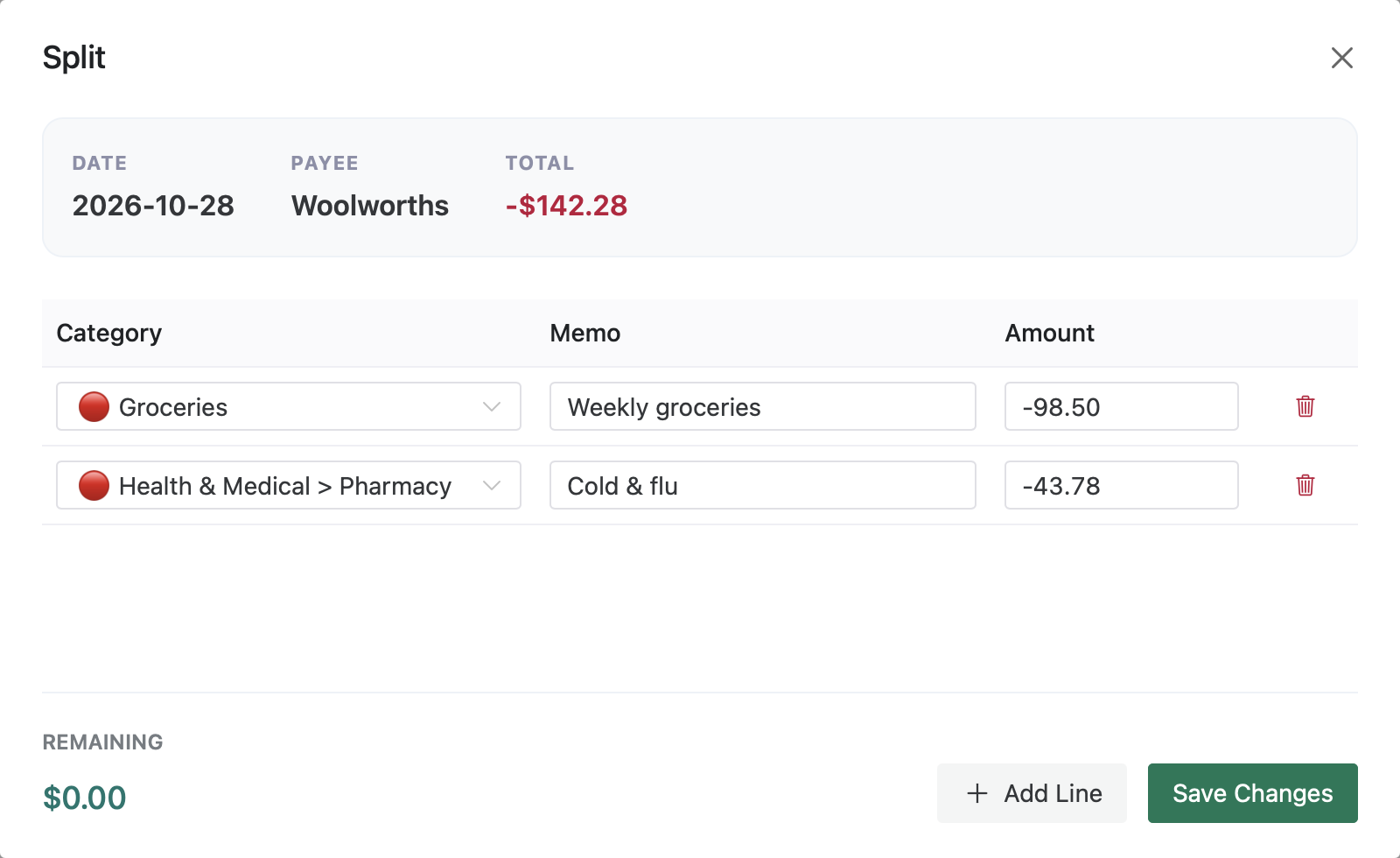
- Set up categories in Settings → Categories. Categories can have sub-categories (for example Health & Medical → Pharmacy), so a two-level spreadsheet layout carries over.
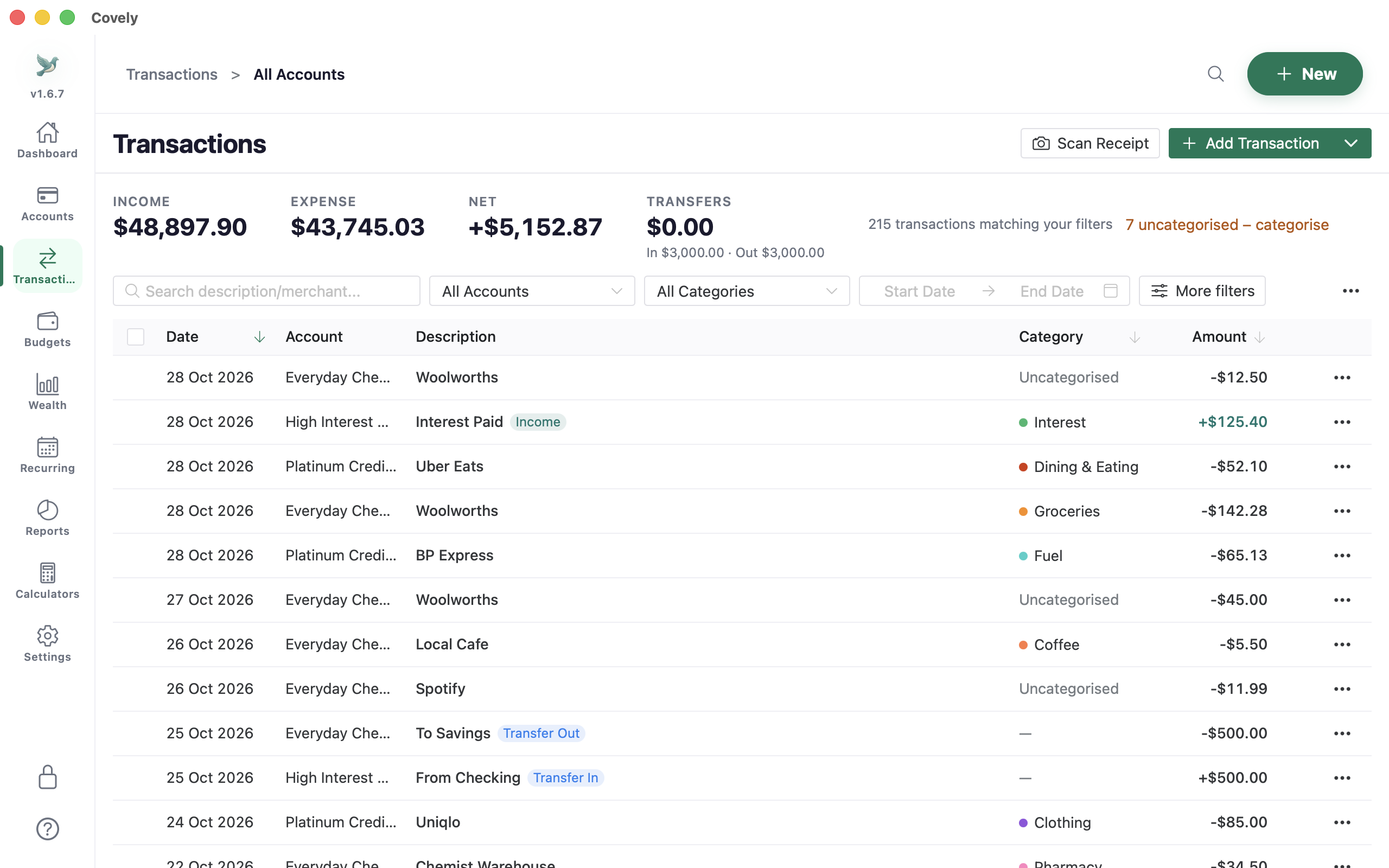
- Import one account at a time. Save the sheet (or your bank’s export) as CSV and use Import CSV. You tell Covely which columns hold the date, description and amount. If your sheet has separate spending and income columns, map them to Debit and Credit instead.
- Review before saving. Rows that look like duplicates of existing transactions are listed, and transfers between your accounts are suggested so you can link them.
- Add rules as you go. Each time you categorise the same payee by hand, make a rule in Settings → Automation and test it against your history first.
Things a spreadsheet makes hard
- Splits. One receipt across several categories, without extra rows that break your sums.
- Reconciliation. Tick transactions against a statement until the difference is $0.00, then lock them.
- Search across years. One search box covers every account and every year.
- Budgets that update themselves. Spending against each category updates as you import.
What you give up
A finance app won’t let you write any formula you like. If you have a model you love (a retirement projection, say), keep it. Export a CSV from Covely when you need fresh numbers, and let the app handle the day-to-day bookkeeping.